Skip to content
  • Categories
  • Recent
  • Tags
  • Popular
  • World
  • Users
  • Groups
Skins
  • Light
  • Brite
  • Cerulean
  • Cosmo
  • Flatly
  • Journal
  • Litera
  • Lumen
  • Lux
  • Materia
  • Minty
  • Morph
  • Pulse
  • Sandstone
  • Simplex
  • Sketchy
  • Spacelab
  • United
  • Yeti
  • Zephyr
  • Dark
  • Cyborg
  • Darkly
  • Quartz
  • Slate
  • Solar
  • Superhero
  • Vapor

  • Default (No Skin)
  • No Skin
Collapse
Brand Logo
  1. Forum
  2. EV Conversions
  3. 1966 Jeep CJ5 4x4, GE Jeep!

1966 Jeep CJ5 4x4, GE Jeep!

Scheduled Pinned Locked Moved EV Conversions
70 Posts 4 Posters 388 Views 2 Watching
  • Oldest to Newest
  • Newest to Oldest
  • Most Votes
Reply
  • Reply as topic
Log in to reply
This topic has been deleted. Only users with topic management privileges can see it.
  • I isak

    you can read what the error codes mean the Owners manual: https://resolve-ev.com/pdfs/owners_manual.pdf

    L Offline
    L Offline
    leshall89
    wrote on last edited by
    #58

    @isak Now that I know what is shown on the OLED is an error code...this code is "Caution lamp and Charging stop" From the Owners Manual: These are all errors directly from the Nissan Leaf BMS, they are quite explanatory and should also be corrected immediately. A good solution to locate the error is to use Leafspy
    and look for the errors the BMS experiences. One cause for the caution lamp and charge
    stop error could be a disconnected BMS balancing wire. This will cause the bms to not allow
    charging of the battery and limit the motor to 4.5kW of power.
    It is recommended to use a bluetooth dongle and to connect Leafspy to your car for specific
    diagnostics and to see the health of your battery.

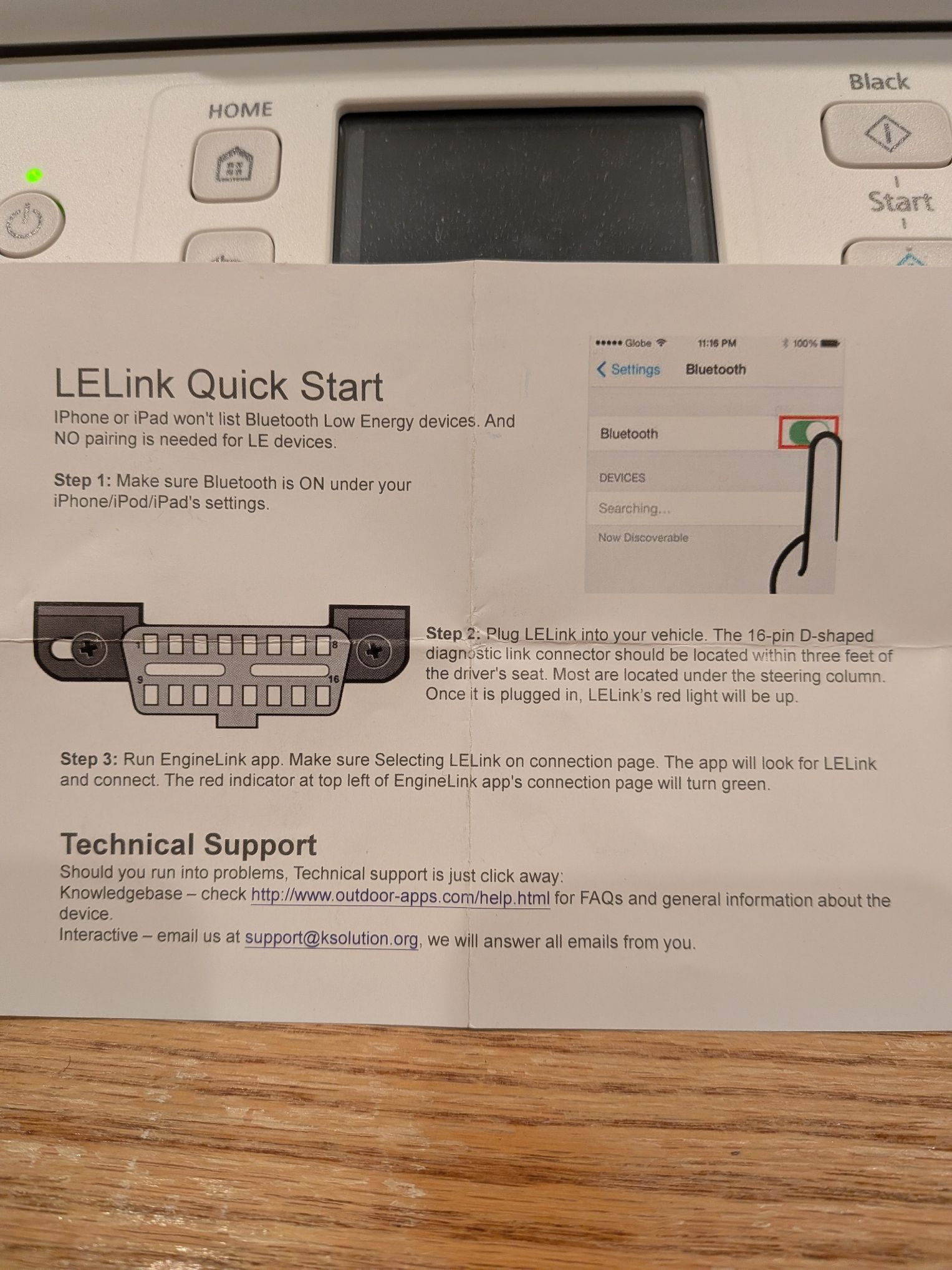
    The LELink bluetooth OBD dongle came with my kit. Doesn't look like I can access it because I don't own an Apple product.

    Is Leafspy an app or another piece of hardware?

    1 Reply Last reply
    0
    • L Offline
      L Offline
      leshall89
      wrote on last edited by
      #59

      PXL_20260313_155447579.jpg

      1 Reply Last reply
      0
      • L Offline
        L Offline
        leshall89
        wrote on last edited by
        #60

        This is the document that came with the LELink dongle with my kit. There is nothing in it that says to connect to Leafspy.

        1 Reply Last reply
        0
        • L Offline
          L Offline
          leshall89
          wrote last edited by
          #61

          Screenshot_20260313-135344.png

          1 Reply Last reply
          0
          • L Offline
            L Offline
            leshall89
            wrote last edited by
            #62

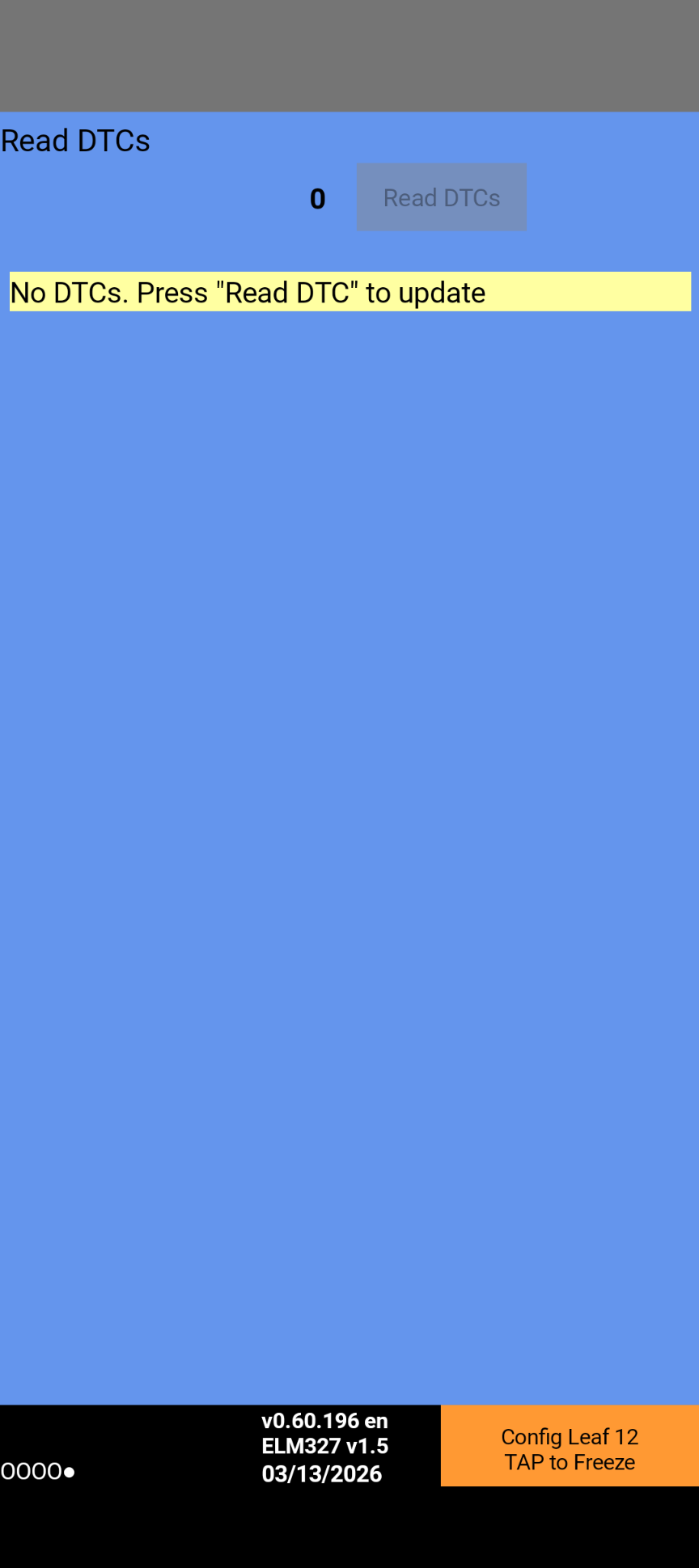
            Leafspy shows no DTC codes. Now the project is stalled until someone can help me diagnose what needs to be corrected.

            1 Reply Last reply
            0
            • L Offline
              L Offline
              leshall89
              wrote last edited by
              #63

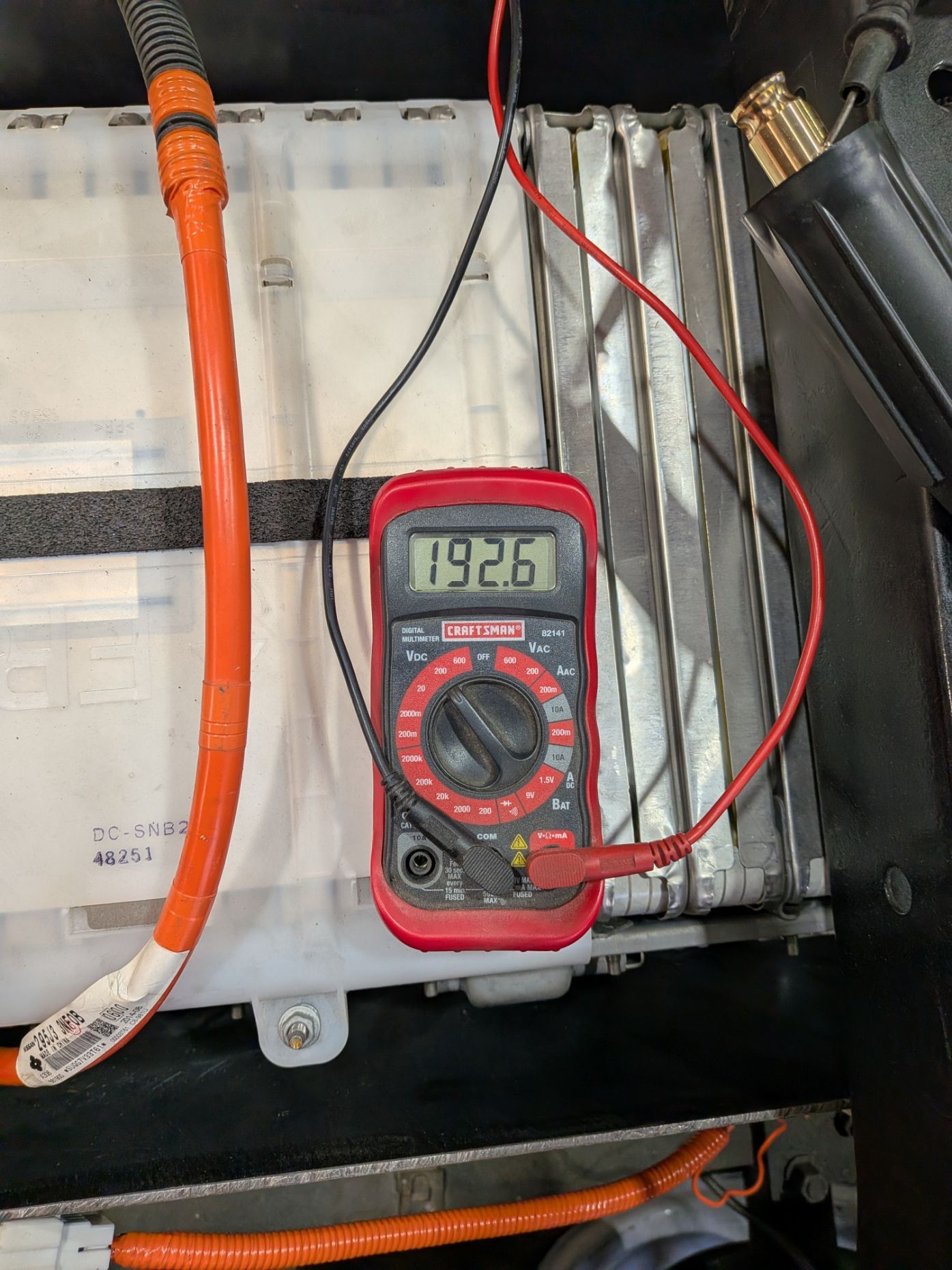
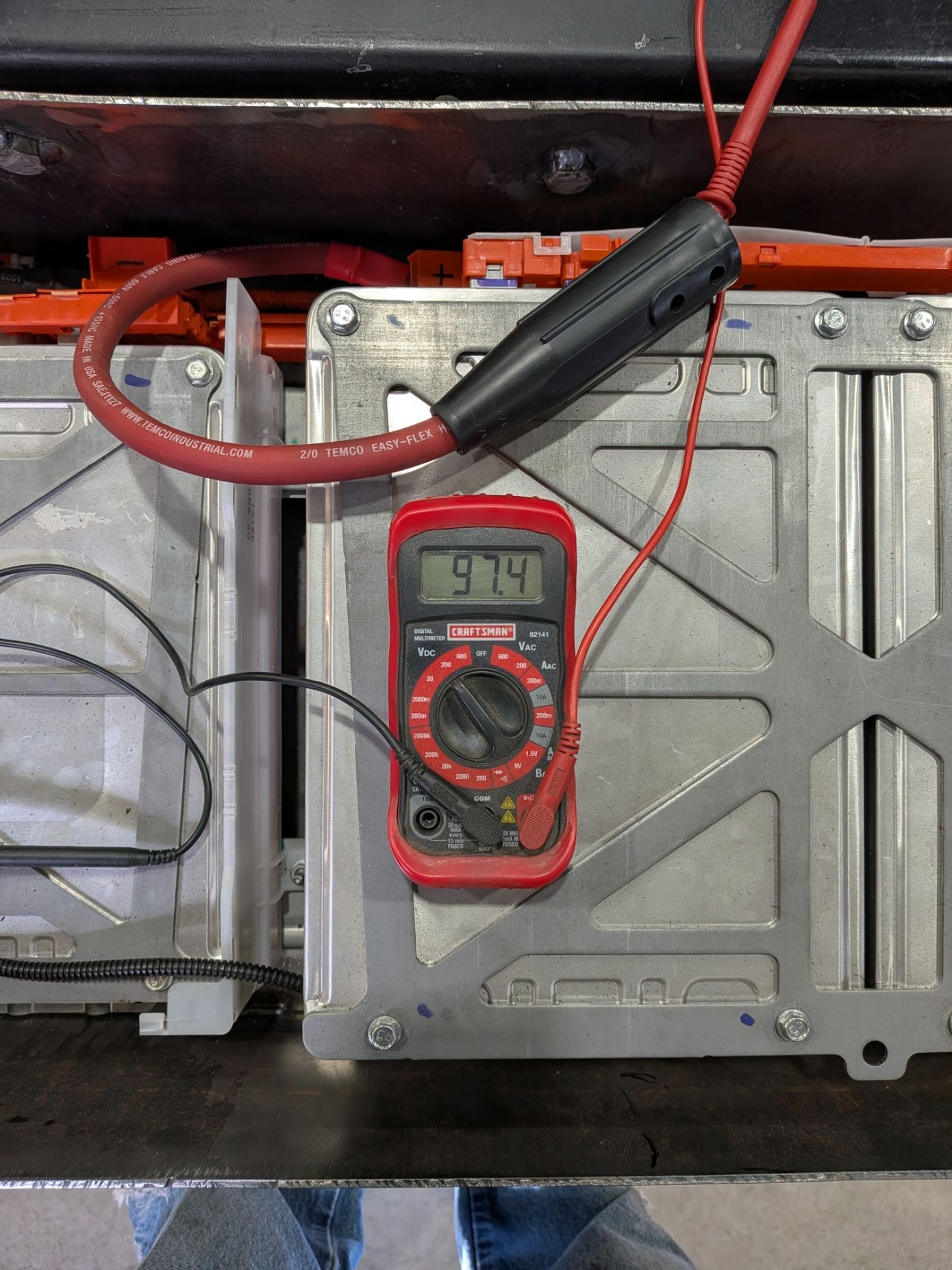
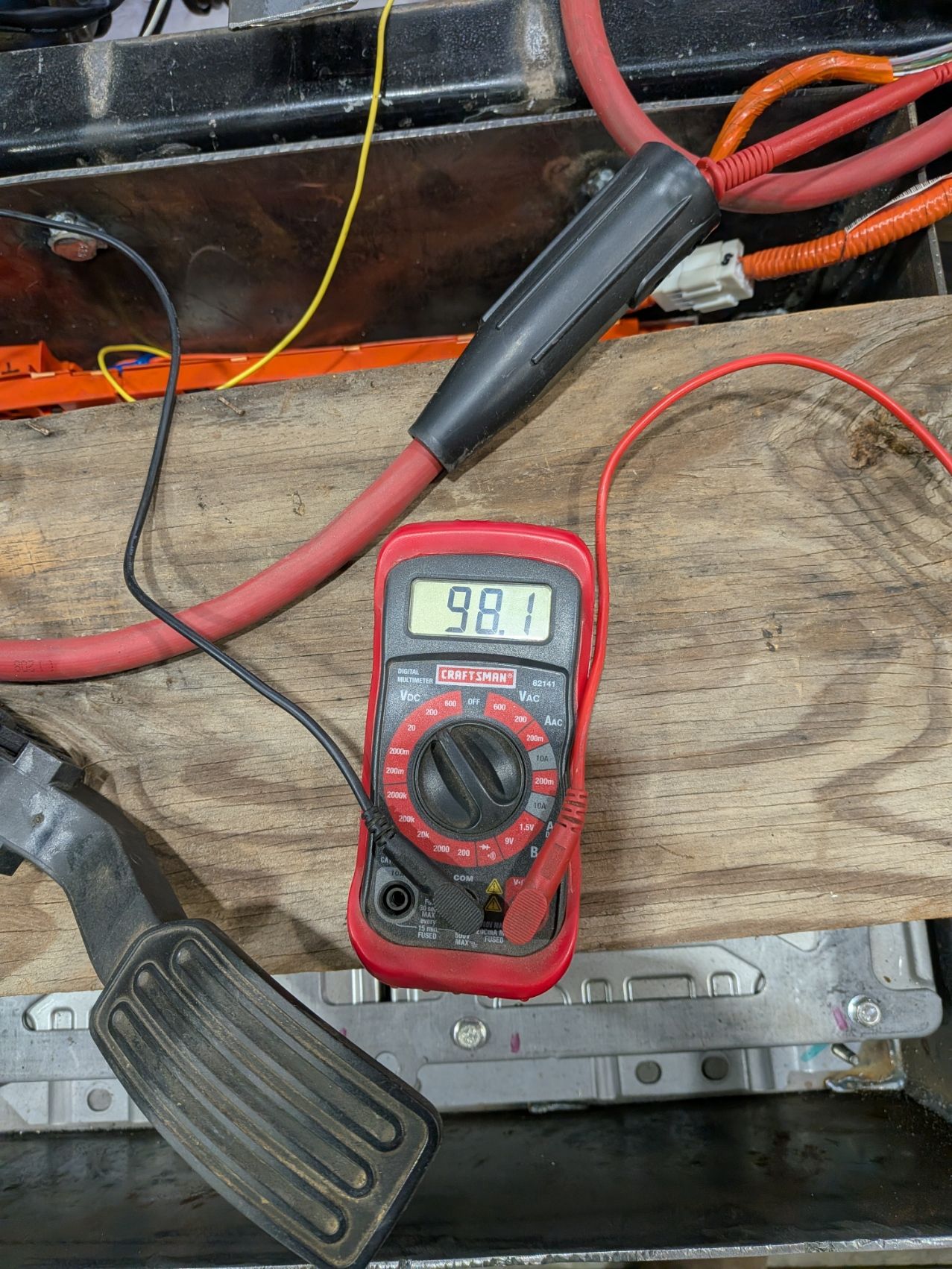
              Posting the multimeter readings from all 3 battery packs.
              PXL_20260313_184658967.jpg
              PXL_20260313_184524330.jpg
              PXL_20260313_184446407.jpg

              1 Reply Last reply
              0
              • L Offline
                L Offline
                leshall89
                wrote last edited by
                #64

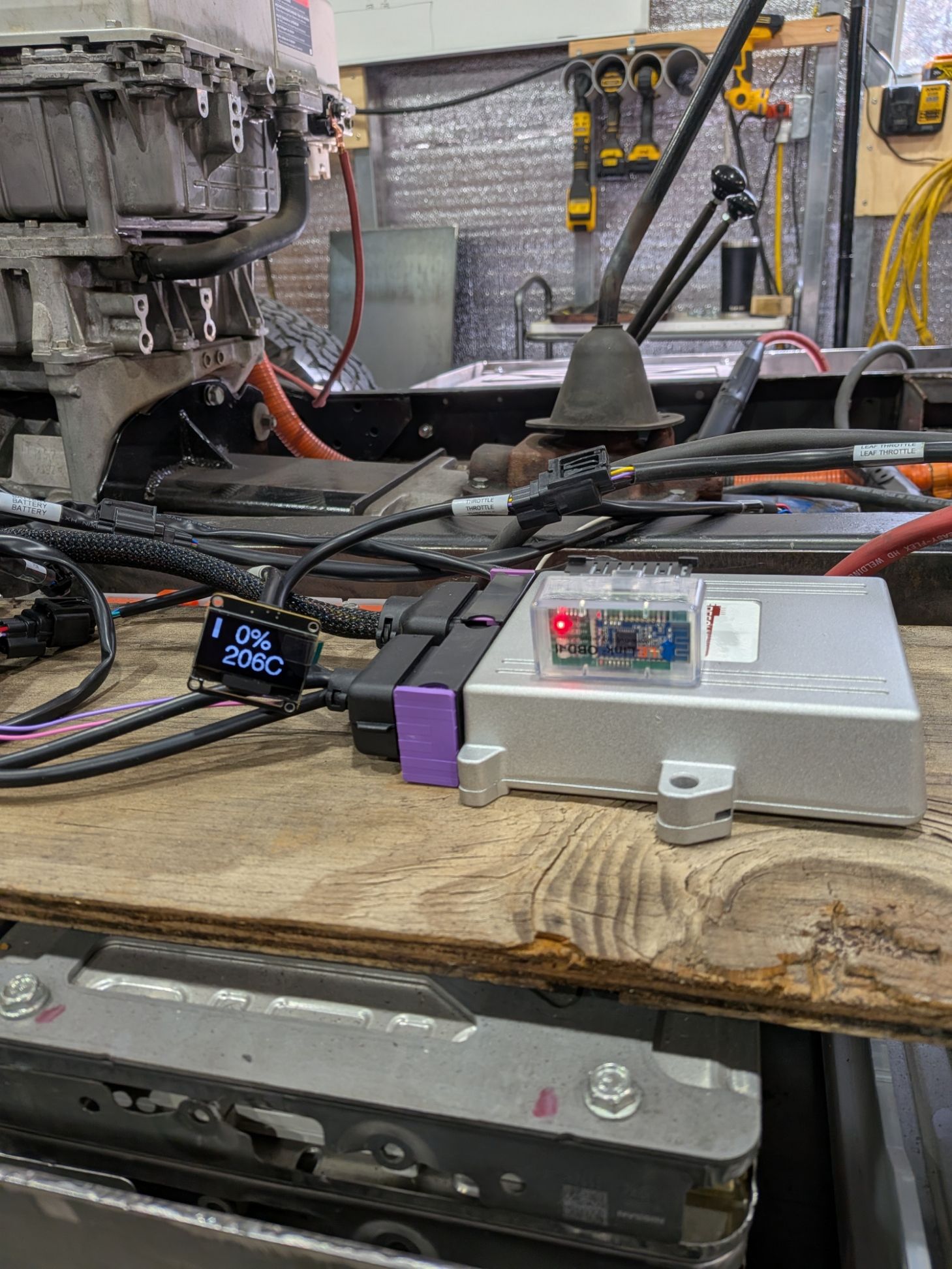
                And here's the OLED display.
                PXL_20260313_180201410.jpg

                1 Reply Last reply
                0
                • I Offline
                  I Offline
                  isak
                  wrote last edited by
                  #65

                  As you can read in the Owners manual linked here: https://resolve-ev.com/pdfs/owners_manual.pdf

                  This is a "warning light" signal from the BMS I would recommend updating the Resolve controller to the latest software update here: https://resolve-ev.com/update
                  If that does not solve it I would try to troubleshoot if something is connected wrong to or from the BMS
                  Regards
                  Isak

                  L 1 Reply Last reply
                  0
                  • I isak

                    As you can read in the Owners manual linked here: https://resolve-ev.com/pdfs/owners_manual.pdf

                    This is a "warning light" signal from the BMS I would recommend updating the Resolve controller to the latest software update here: https://resolve-ev.com/update
                    If that does not solve it I would try to troubleshoot if something is connected wrong to or from the BMS
                    Regards
                    Isak

                    L Offline
                    L Offline
                    leshall89
                    wrote last edited by
                    #66

                    @isak I was able to update the software, although I tried updating to 3.7, Console shows 3.5. Data doesn't appear to show anything even with connection. Connecting Ignition to 12v causes a "waiting for data" message that doesn't end.

                    L 1 Reply Last reply
                    0
                    • L leshall89

                      @isak I was able to update the software, although I tried updating to 3.7, Console shows 3.5. Data doesn't appear to show anything even with connection. Connecting Ignition to 12v causes a "waiting for data" message that doesn't end.

                      L Offline
                      L Offline
                      leshall89
                      wrote last edited by
                      #67

                      Not sure how BMS could be connected wrong considering all connections have only one specific port they fit into the BMS.

                      1 Reply Last reply
                      0
                      • L Offline
                        L Offline
                        leshall89
                        wrote last edited by
                        #68

                        @isak Sure would be nice to get some feedback for all the emails I've sent you trying to figure out the problem why this won't work...

                        1 Reply Last reply
                        0
                        • L Offline
                          L Offline
                          leshall89
                          wrote last edited by
                          #69

                          I just realized Leafspy isn't connecting with the LeLink dongle so the picture 20 days ago isn't actually showing anything from my system since the lower right hand corner isn't green. Still can't get Leafspy to connect to LeLink, I think this might actually be a problem with the Resolve system...what do you think @isak?

                          1 Reply Last reply
                          0
                          • I Offline
                            I Offline
                            isak
                            wrote last edited by
                            #70

                            Hi!
                            I would recommend being concise in your emails and not sending 14 emails in the span of 2h. It does not really make it easier for me to help you. To focus on what I think the issue is and as I wrote to you via email. The last console log you sent showed that the leaf BMS think's the packs voltage is 511V which i suspect is due to the voltage sensor is disconnected or not functioning properly. I would focus on solving that
                            1 Reply Last reply
                            0
                            Reply
                            • Reply as topic
                            Log in to reply
                            • Oldest to Newest
                            • Newest to Oldest
                            • Most Votes


                            • Login

                            • Don't have an account? Register

                            • Login or register to search.
                            Powered by NodeBB Contributors
                            • First post
                              Last post
                            0
                            • Categories
                            • Recent
                            • Tags
                            • Popular
                            • World
                            • Users
                            • Groups